

Domains
Register a domain
Reseller Hosting
Your Own Hosting Business
Wordpress Hosting
Managed WordPress Hosting

Windows VPS
Automated updates and plugins
Linux VPS
Lightning-fast with 100% uptime SLA
OpenClaw VPS
Host Your OpenClaw Agent on VPS
Hermes Ai VPS
Host Your Hermes Agent on VPS
VPS Locations
Choose from global server locations
99.9% vs 99.99% Uptime Guarantee: How Much Downtime Are You Actually Paying For?
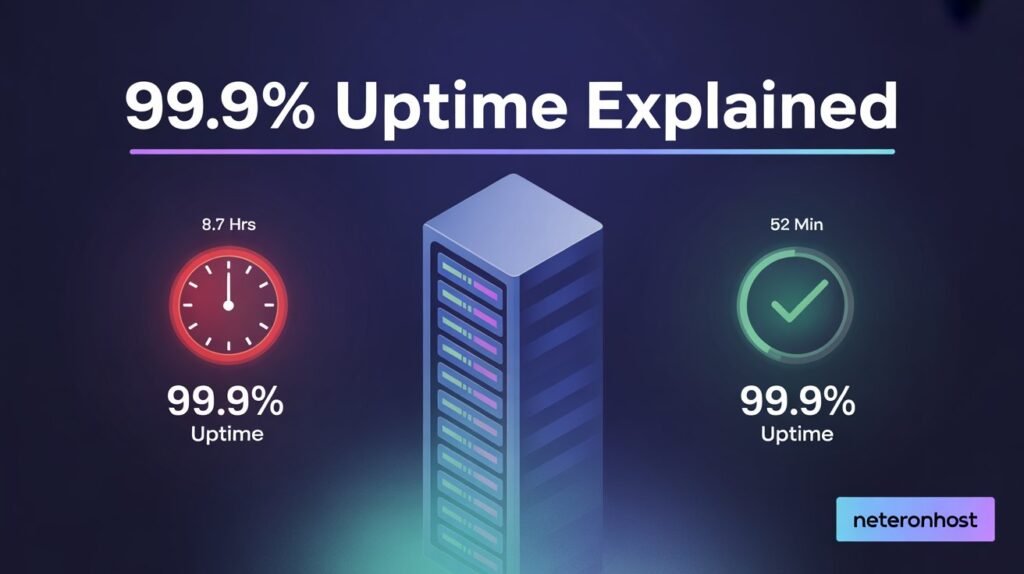
Your hosting provider promises 99.9% uptime. Sounds like your site is almost never down. But here is the part nobody talks about: that tiny 0.1% gap means your website can be completely offline for nearly 9 hours every year, and your host technically kept their promise. That is not a rounding error. That is an entire workday of lost sales, lost visitors, and lost trust.
Most hosting buyers never do the math before signing up. They see “99.9% uptime guarantee” on a sales page, assume it means “always online,” and move on. Then the first outage hits, they file a support ticket, and learn that the downtime was still within SLA limits.
This post breaks down exactly how much downtime each uptime percentage allows, what the fine print in SLA agreements hides from you, and how to pick a hosting provider that actually keeps your site online. No filler. Just the numbers and what they mean for your business.
Looking for hosting with 99.99% uptime? Neteronhost shared hosting plans start at $1.49/mo with NVMe SSD and 24/7 support.
TL;DR
- 99.9% uptime allows 8 hours and 45 minutes of downtime per year. 99.99% cuts that to just 52 minutes.
- Most hosts exclude scheduled maintenance from their uptime calculations, meaning real downtime is higher than advertised.
- Always verify your host’s uptime with a free third-party monitor. Never rely on the host’s own claims.
Table of Contents
- What Does 99.9% Uptime Mean in Minutes?
- 99.9% vs 99.99% Uptime: Why That Extra 9 Matters
- How to Calculate SLA Downtime Yourself
- Hidden Exclusions in Hosting Uptime Guarantees
- Does 99.9% Uptime Include Scheduled Maintenance?
- Financial Impact of Downtime on Your Business
- Can Any Host Guarantee 100% Uptime?
- How to Monitor Your Hosting Uptime for Free
- FAQ
What Does 99.9% Uptime Mean in Minutes?
A year has 525,600 minutes. When a host promises 99.9% uptime, they are saying your site can be down for 0.1% of that time and they have not broken the agreement.
Here is what that looks like across every uptime tier:
| Uptime SLA | Downtime Per Year | Downtime Per Month | Downtime Per Week |
|---|---|---|---|
| 99.0% | 3 days, 15 hours | 7 hours, 18 min | 1 hour, 41 min |
| 99.5% | 1 day, 19 hours | 3 hours, 39 min | 50 min |
| 99.9% | 8 hours, 45 min | 43 min | 10 min |
| 99.95% | 4 hours, 23 min | 21 min | 5 min |
| 99.99% | 52 min | 4 min, 21 sec | 1 min |
| 99.999% | 5 min, 15 sec | 26 sec | 6 sec |
Read the 99.0% row again. Three days and fifteen hours of downtime per year. Some budget hosts operate at this level and still put “uptime guarantee” on their homepage.
The difference between 99.9% and 99.99% looks small on paper, one extra digit. But in practice it is the difference between your site being offline for nearly 9 hours a year versus being offline for under an hour.
How to File an SLA Complaint and Claim Compensation from Your Host
Most hosting providers will not send you a credit automatically. You have to ask for it. Here is exactly how to do it.
Step 1: Confirm the breach with third-party data
Do not rely on your host’s own uptime reports. Pull your downtime data from UptimeRobot, Hetrix Tools, or any independent monitor you have been running. Note the exact start time, end time, and total duration of each outage. You need timestamps your host cannot argue with.
Step 2: Calculate how much downtime your SLA allows
Use the formula: total minutes in the period multiplied by the downtime percentage. For a 99.99% SLA on a 30-day month that is 43,200 x 0.0001 = 4.32 minutes allowed. If your outage was longer than that, you have a valid claim.
Step 3: Read your SLA document before contacting support
Find your hosting agreement and read the uptime guarantee section. Look specifically for:
- How credits are calculated (percentage of monthly fee or flat amount)
- The claim window (most providers require you to file within 7 to 30 days of the outage)
- What is excluded (maintenance windows, DDoS attacks, third-party failures)
- Whether the outage type qualifies under their definition
Step 4: Open a formal support ticket, not a live chat
Live chat has no paper trail. Open a support ticket and include:
- Date and time of the outage
- Duration in minutes
- Third-party monitoring data as evidence
- The specific SLA clause you are claiming under
- The credit amount you are requesting
Keep the tone factual, not emotional. You are presenting evidence, not complaining.
Step 5: Escalate if the first response denies your claim
If front-line support rejects the claim, ask to escalate to a billing manager or technical account manager. Reference your ticket number and attach your monitoring data again. Most providers resolve legitimate claims at this level.
What compensation looks like in practice:
Most hosting SLAs offer service credits, not cash refunds. A 99.99% SLA breach typically earns you 5% to 10% of your monthly fee as credit toward future billing. On a $50/month plan that is $2.50 to $5.00. The money is rarely the point. Filing the claim creates a record and signals to your provider that you are monitoring them, which often results in better service going forward.
When to switch providers instead:
If your host breaches the SLA more than once in a quarter, the compensation process is difficult, or support is unresponsive to legitimate claims, the SLA is not worth the paper it is written on. A provider with a genuine 99.99% uptime commitment backed by redundant infrastructure rarely puts you in a position of filing claims in the first place.
99.9% vs 99.99% Uptime: Why That Extra 9 Matters
That single additional 9 is not a marketing gimmick. It represents a fundamentally different level of infrastructure investment.
Here is how the gap breaks down by business type:
| Business Type | 99.9% Impact (~8.7 hrs/yr) | 99.99% Impact (~52 min/yr) |
|---|---|---|
| E-commerce Store | Could lose an entire peak sales period | Less than one checkout session |
| SaaS Application | Users notice, some cancel | Most users never see an outage |
| Business Website | Potential leads lost during outage | Virtually invisible |
| Blog or Portfolio | Minor inconvenience | Irrelevant |
If you run a personal blog, 99.9% is more than enough. You will not notice 43 minutes of monthly downtime, and neither will your readers.
But if you run an online store processing orders at 2 AM, or a SaaS product where customers expect 24/7 access, that gap matters. Eight hours of downtime during Black Friday or a product launch can cost more than your entire annual hosting bill.
Neteronhost offers a 99.99% uptime guarantee on all VPS plans, which limits your maximum annual downtime to under 52 minutes. That is not a theoretical number. It is backed by redundant cloud infrastructure with automatic failover that keeps your server online even when hardware fails.
How to Calculate SLA Downtime Yourself
You do not need a special tool for this. The formula is simple:
Allowed downtime = Total minutes in period x (1 minus uptime percentage)
Monthly calculation with 99.9% SLA:
- Total minutes in a month: 43,200 (30 days x 24 hours x 60 minutes)
- Allowed downtime: 43,200 x 0.001 = 43.2 minutes
Yearly calculation with 99.9% SLA:
- Total minutes in a year: 525,600
- Allowed downtime: 525,600 x 0.001 = 525.6 minutes = 8 hours 45 minutes
Now run the same math for 99.99%:
- Yearly: 525,600 x 0.0001 = 52.56 minutes
- Monthly: 43,200 x 0.0001 = 4.32 minutes
The difference between 0.001 and 0.0001 looks tiny in decimal form. In real minutes, it is a 10x reduction in allowed downtime.
Before signing up with any host, run this calculation against their stated SLA. Then ask yourself whether that amount of downtime is acceptable for your specific use case.
Hidden Exclusions in Hosting Uptime Guarantees
An uptime SLA is only as honest as the fine print behind it. Most hosting companies carve out exceptions that inflate their reported uptime well above what you actually experience.
Here is what to look for:
“Network uptime” vs “server uptime” vs “site uptime”
Some hosts guarantee network uptime only. That means their data center network was up, but your individual server crashed, or your site threw a 500 error, and none of that counts against the SLA. Your site was down. Their SLA says it was not.
Third-party service exclusions
DNS outages, CDN failures, and DDoS attacks are commonly excluded. If Cloudflare goes down and takes your site with it, many hosts will not count that time against their SLA even though your visitors saw an error page.
Scheduled maintenance windows
This is the biggest one. A host can take your server offline for 4 hours of “scheduled maintenance” every month and still claim 100% uptime, because maintenance windows are excluded from the calculation.
What to check before signing up:
- Read the actual SLA document, not the marketing page
- Search for the words “exclusion,” “maintenance,” and “force majeure”
- Ask support directly: “Does your uptime SLA include scheduled maintenance?”
- Check if they offer service credits when SLA is breached
Does 99.9% Uptime Include Scheduled Maintenance?
At most hosting companies, the answer is no.
Scheduled maintenance, meaning server updates, security patches, hardware replacements, and software upgrades, is typically excluded from uptime calculations entirely. A host could schedule 2 hours of maintenance every month, and their SLA still reads 99.9% even though your real uptime was closer to 99.7%.
This is where “zero planned downtime” becomes an important distinction. Some providers build their infrastructure to handle updates without taking your server offline. They use live migration, rolling updates, and redundant hardware so patches apply without interruption.
The question to ask any host is not “what is your uptime guarantee?” It is “how do you handle maintenance, and does it count toward my SLA?”
If the answer involves scheduled maintenance windows that are excluded from the uptime calculation, your real uptime will always be lower than advertised.
Financial Impact of Downtime on Your Business
Downtime costs money. The amount depends on your business size and type, but it is never zero.
| Business Size / Model | Est. Revenue/Hr | 99.9% Cost (~8.7 hrs) | 99.99% Cost (~52 min) |
|---|---|---|---|
| Small E-commerce ($5K/mo) | $6.94 | $60.38 | $6.01 |
| Medium E-commerce ($50K/mo) | $69.44 | $604.13 | $60.18 |
| SaaS Start-up ($100K MRR) | $138.89 | $1,208.23 | $120.37 |
| Large Enterprise ($500K/mo) | $694.44 | $6,041.63 | $601.85 |
These numbers only cover direct revenue loss. They do not include:
SEO ranking damage. Google crawls your site regularly. If Googlebot hits your site during downtime and gets a 5xx error, it records that. Repeated outages signal an unreliable site, and Google can quietly lower your rankings. A few hours of downtime during a crawl cycle can take weeks to recover from in search positions.
Customer trust erosion. A first-time visitor who sees an error page will not come back. They will go to your competitor and buy there instead. You will never know about the sale you lost because the visitor never showed up in your analytics.
Support cost spike. When your site goes down, your inbox fills with customer complaints. Every support ticket costs time and money to handle, even after the site comes back online.
The hosting plan that saves you $3/mo but delivers 99.0% uptime (3+ days of downtime per year) is almost never the cheaper option once you account for lost revenue.
Can Any Host Guarantee 100% Uptime?
No. And any host that claims 100% uptime is either lying or defining “uptime” in a way that excludes most real-world failures.
Here is why 100% is physically impossible:
Hardware fails. Drives die, memory modules develop errors, network cards stop working. No hardware is immortal. Even enterprise-grade equipment rated for 100,000 hours of operation eventually breaks.
Software needs updates. Operating systems, control panels, security patches. Even with zero-downtime deployment strategies, edge cases exist where an update requires a brief restart.
External dependencies. Your site depends on DNS, CDN, SSL certificate authorities, and upstream network providers. Any one of these can cause a brief outage that is completely outside your host’s control.
What good hosting providers do instead is build redundancy. When one server fails, another takes over automatically. When one drive dies, the data is already mirrored. When one network path goes down, traffic reroutes.
This is what makes 99.99% uptime achievable. Not by preventing failures (impossible), but by designing systems that recover from failures in seconds instead of hours.
Neteronhost achieves 99.99% uptime through redundant cloud infrastructure, automatic failover, NVMe SSD storage with mirroring, and 24/7 monitoring that catches issues before they become outages. Explore Neteronhost hosting plans starting at $1.49/mo.
How to Monitor Your Hosting Uptime for Free
Never trust a hosting provider’s own uptime reports. That is like asking a student to grade their own exam. Use independent, third-party monitoring tools instead.
UptimeRobot (Free tier: 50 monitors, 5-minute checks)
The most popular free uptime monitor. Create an account, add your website URL, and it pings your site every 5 minutes. When your site goes down, you get an email or SMS alert within minutes. After a month, you have real uptime data you can compare against your host’s SLA. uptimerobot.com
Hetrix Tools (Free tier: 15 monitors, 1-minute checks)
Faster check intervals than UptimeRobot on the free plan. One-minute checks mean you catch short outages that 5-minute checks might miss. Also includes blacklist monitoring and SSL certificate expiry alerts. hetrixtools.com
Google Search Console (Free, already set up)
GSC does not monitor uptime directly, but it logs crawl errors. If Googlebot tried to reach your site and got a server error, it shows up under Coverage or Crawl Stats. Regular 5xx errors here are a strong signal that your host has reliability problems.
What to track:
- Total uptime percentage per month
- Number of outages per month
- Average outage duration
- Time of outages (peak hours vs off-peak)
Run monitoring for 30 days. Then compare your measured uptime against your host’s SLA. If the numbers do not match, you have leverage to negotiate credits or a reason to switch providers.
FAQs
99.9% uptime allows 8 hours and 45 minutes of total downtime per year. That breaks down to roughly 43 minutes per month or 10 minutes per week. Any outage beyond this threshold means your host has breached their SLA.
The “3 nines” refers to 99.9% availability. Each additional nine represents a 10x improvement in uptime. Three nines (99.9%) allows 8.7 hours of annual downtime. Four nines (99.99%) allows 52 minutes. Five nines (99.999%) allows just 5 minutes and 15 seconds per year.
No hosting provider can guarantee 100% uptime. Hardware eventually fails, software needs updates, and external services like DNS and CDN can cause outages beyond any host’s control. The best providers target 99.99% by building redundancy and automatic failover into their infrastructure.
For small business websites and blogs, 99.9% is adequate. For e-commerce stores, SaaS applications, or any site where downtime directly costs revenue, 99.99% is the minimum you should accept. The difference is 8 hours versus 52 minutes of annual downtime.
At most hosting providers, no. Scheduled maintenance windows are excluded from uptime calculations, which means your actual experienced uptime is lower than the advertised SLA number. Always check the fine print and ask your host directly.
99.9% allows 8 hours and 45 minutes of downtime per year. 99.99% allows only 52 minutes. That single extra nine represents a 10x reduction in allowed downtime and typically requires significantly more advanced infrastructure including redundant servers, automatic failover, and load balancing.
It depends on your revenue. If your store processes $50,000/mo, 8.7 hours of annual downtime could cost $600+ in lost sales alone, not counting SEO damage and customer trust. For serious e-commerce, 99.99% uptime is the safer choice. Neteronhost offers 99.99% uptime across all plans starting at $1.49/mo.
Written by Siraj, Founder and Hosting Engineer at Neteronhost. Building fast, affordable hosting infrastructure on NVMe SSD with 99.99% uptime since day one.
Premium VPS hosting, shared hosting, and cloud servers with NVMe SSD storage, dedicated IPs, and instant deployment. Powering businesses worldwide.
Copyright © 2026 Neteronhost. All Rights Reserved